> For the complete documentation index, see [llms.txt](https://docs.satisfilabs.com/resource-center/llms.txt). Markdown versions of documentation pages are available by appending `.md` to page URLs; this page is available as [Markdown](https://docs.satisfilabs.com/resource-center/marketing-engine/templates-and-landing-pages/social-conversation-templates.md).
# Social Conversation Templates
Marketing Engine allows the automation of interactions with contacts via Instagram Direct Messaging/Facebook Messenger.
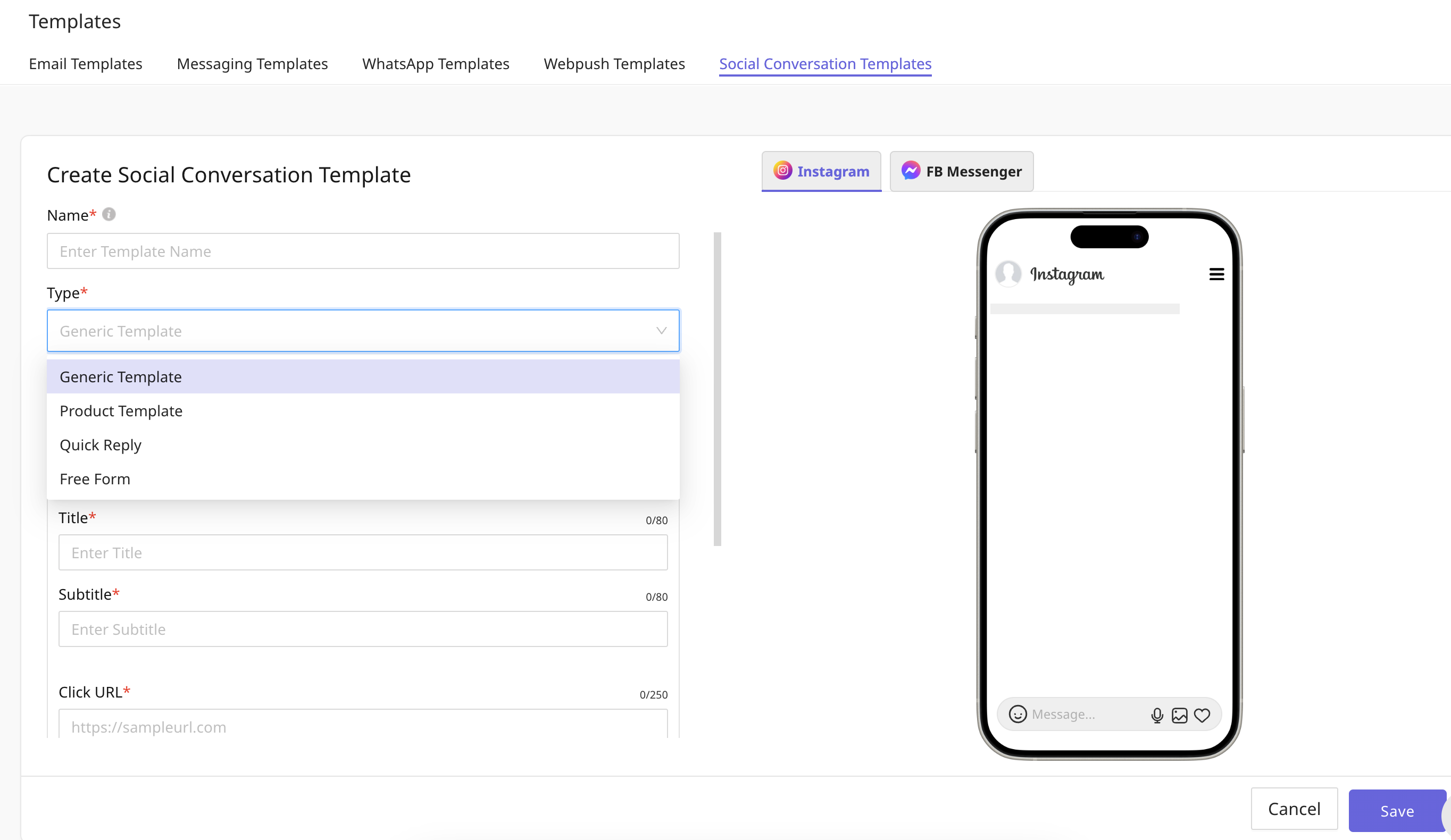
## Types of Templates in Instagram DM
\
**1. Generic Template**
The generic template allows you to send a structured message that includes an image, text(which contains Title, Subtitle and Click URL) and buttons. Please note: Generic templates are not supported for Desktops by Meta.
**2. Product Template**
Send Instagram messages with product information that you have uploaded to your product catalog in the Instagram Store using the product template. Product details (image, title, price) will automatically be pulled from the product catalog. You can also create messages that have one product or a horizontally scrollable carousel of products using the product template.
**3. Quick Reply**
Quick replies provide a way to present a set of buttons in-conversation for users to reply with. A maximum of 13 quick replies are supported and each quick reply allows up to 20 characters before being truncated. Quick replies only support plain text. When a quick reply is tapped, the buttons are dismissed, and the title of the tapped button is posted to the conversation as a message. Please note: Generic templates are not supported for Desktops by Meta.\
\
**4. Free Form**
The free form template allows you to send a message of only a single type. It cannot be a combination of 2 types. We can either send an Image or Video or Audio or a Text or File.
## Types of Templates in Facebook Messenger
**1. Generic Template**
The generic template allows you to send a structured message that includes an image, text(which contains Title, Subtitle and Click URL) and buttons. Please note: Generic templates are not supported for Desktops by Meta.
**2. Product Template**
Send Product messages with product information that you have uploaded to your product catalog in the Facebook Catalogue Store using the product template. Product details (image, title, price) will automatically be pulled from the product catalog. You can also create messages that have one product or a horizontally scrollable carousel of products using the product template. Please Note: Product templates for Facebook Messenger are not supported.
**3. Quick Reply**
Quick replies provide a way to present a set of buttons in-conversation for users to reply with. A maximum of 13 quick replies are supported and each quick reply allows up to 20 characters before being truncated. Quick replies only support plain text. When a quick reply is tapped, the buttons are dismissed, and the title of the tapped button is posted to the conversation as a message. Please note: Generic templates are not supported for Desktops by Meta.\
\
**4. Free Form**
The free form template allows you to send a message of only a single type. It cannot be a combination of 2 types. We can either send an Image or Video or Audio or a Text or File.