> For the complete documentation index, see [llms.txt](https://docs.satisfilabs.com/resource-center/llms.txt). Markdown versions of documentation pages are available by appending `.md` to page URLs; this page is available as [Markdown](https://docs.satisfilabs.com/resource-center/ai-agent-engine/features-and-integrations/features/weather-feature.md).
# Weather Feature
## Overview
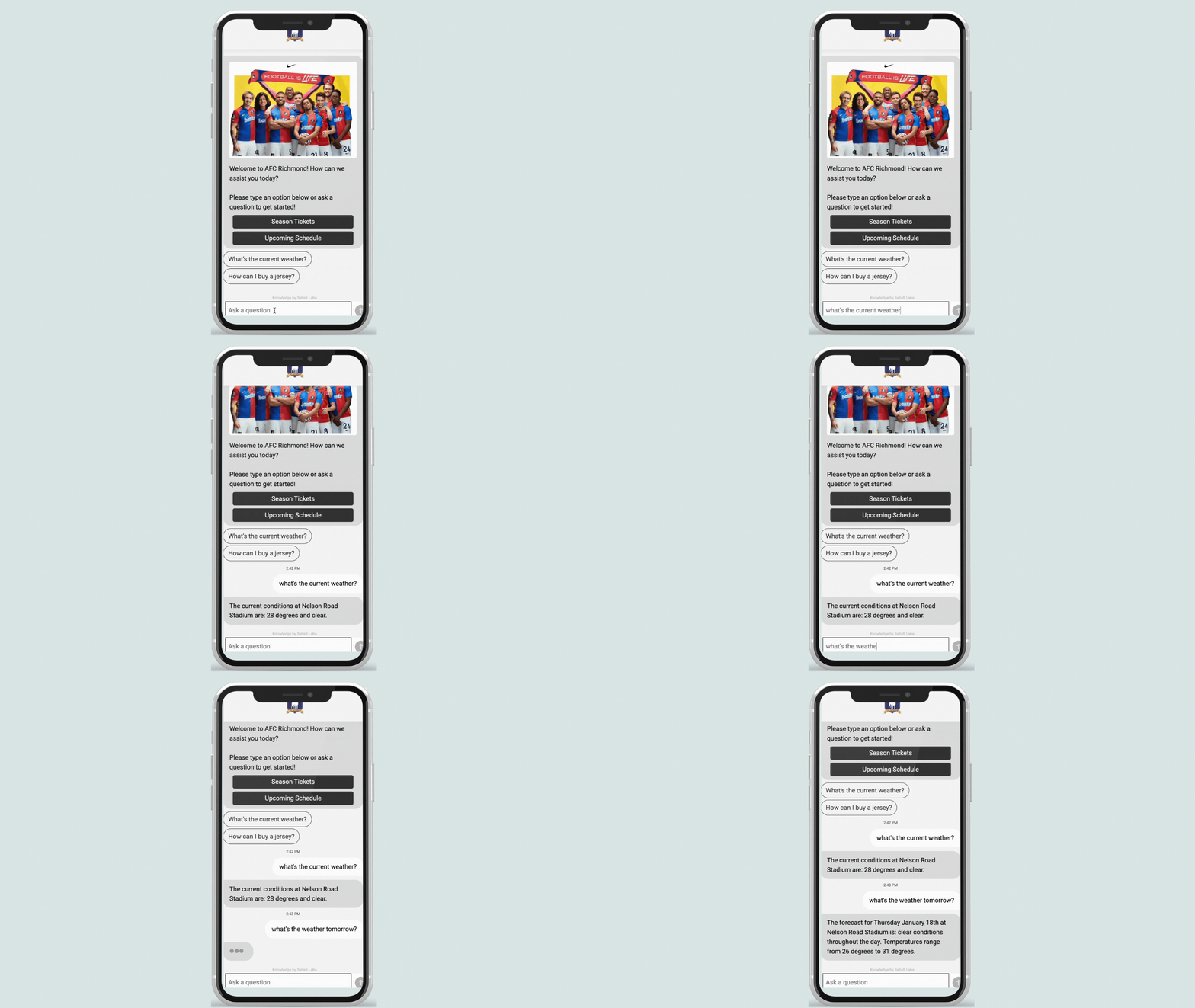
The Weather Add-On feature is a handy tool that empowers AI Chat to provide accurate and real-time weather information in response to user inquiries. Users can effortlessly ask about the weather at a specific venue, enabling them to plan their activities based on current and forecasted weather conditions.
The feature is a great fit for outdoor venues/events, and ski resorts.
## Feature Benefits
* Users can seamlessly obtain venue-specific weather information, aiding in better planning for their day.
* AI Chat promptly delivers accurate, conversational, and relevant weather details in response to user queries.
## Feature Functionality
* Our integration leverages an API platform to enhance AI Chat's capabilities in responding to weather-related queries.
* Users can ask about the seven-day weather forecast at a particular venue or location.
* AI Chat interprets date queries in any format, providing information for today, the upcoming week, or specific dates.
* Both "Fahrenheit" and "Celsius" are supported.
## How to Install
If you are interested in setting up this feature, use the request portal[ **HERE**](https://satisfi-labs.atlassian.net/servicedesk/customer/portal/10/group/45/create/178), and our Implementation team will connect with you and install the feature.