> For the complete documentation index, see [llms.txt](https://docs.satisfilabs.com/resource-center/llms.txt). Markdown versions of documentation pages are available by appending `.md` to page URLs; this page is available as [Markdown](https://docs.satisfilabs.com/resource-center/live-agent-engine/system-configuration/additional-channels-and-placement/facebook-messenger.md).
# Facebook Messenger
## Overview
Our Facebook Messenger channel allows live agents to communicate with users using Facebook Messenger through the Live Agent Engine. All functionality available on our current integration in the Satisfi Inbox will also be available on the Facebook channel.
## How it Works
{% hint style="danger" %}
If you already have your AI Chat living on your Facebook Messenger, make sure that Live Agent Engine is installed before attempting to initiate conversations with users.
If the Live Agent Engine is not yet installed, automatic replies can overlap with the live agent responses.
{% endhint %}
* Live agents can receive and respond to requests coming in via Facebook Messenger using the Live Agent Engine.
* Users can escalate a conversation with an agent/specific team without having to leave Facebook Messenger.
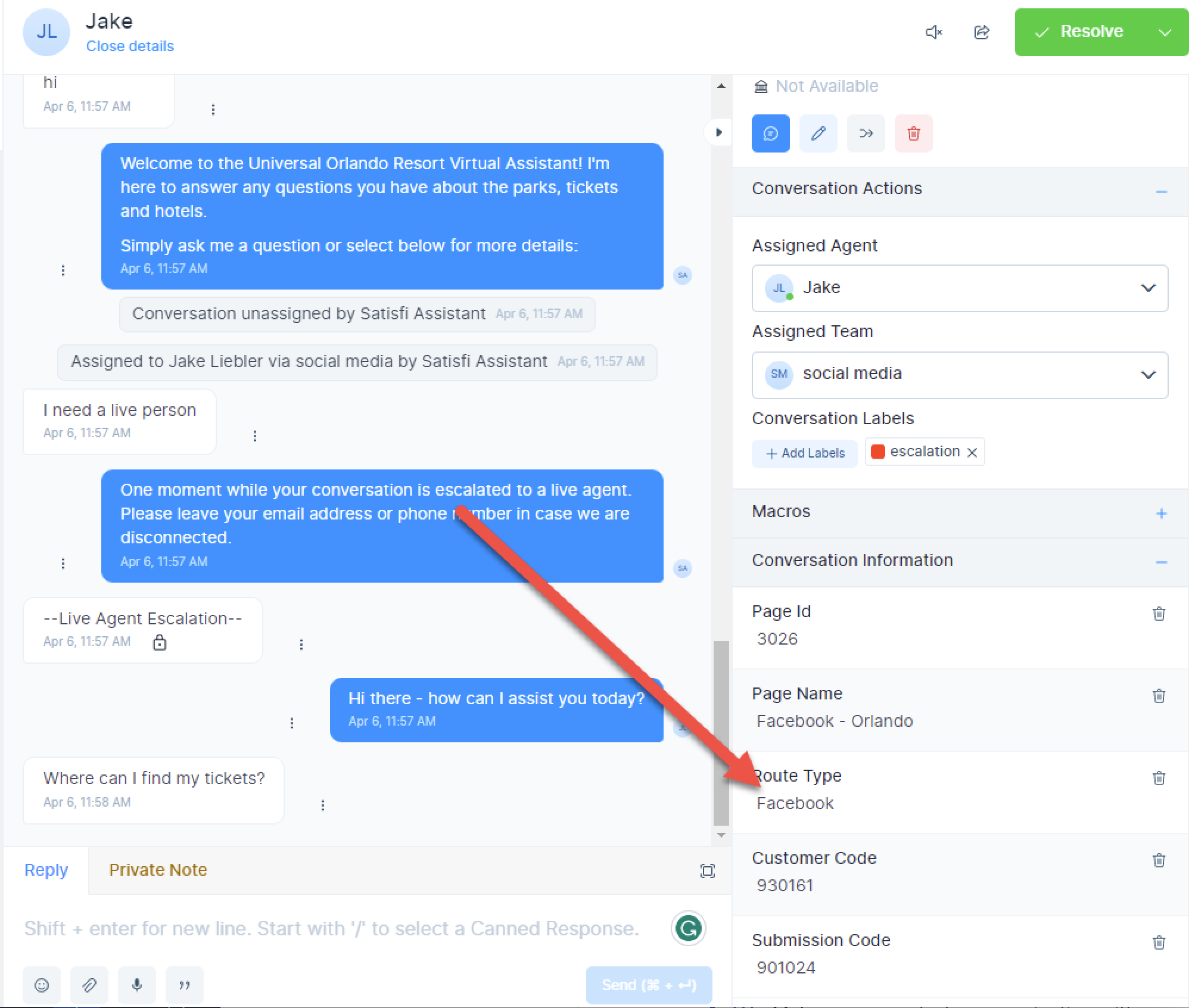
* Agents can view the route type (web, app, Facebook, etc.) by clicking on the Conversation Information column within a conversation.
Agents Can See the Route Type For Each Conversation
## Benefits
* As a channel to communicate with customers, Facebook Messenger gives them more options to contact your business, resulting in an improved customer experience.
* Live agents will save time switching between screens with all messages in one place.
* Live agents can use the Live Agent Engine's great features like canned responses, private notes, macros, adjust notifications, download transcripts, and more that significantly improve the speed and efficiency of online conversations.
* You can set smart routing to assign the conversations automatically to the right person or a team.
* You will collect all the incoming data and get more accurate reporting using the Satisfi Labs Dashboard. Just filter by channel (web/mobile/email/Facebook Messenger) and see the median resolution time, number of inbound messages, agent data, and more.
## How to Install
To start the installation process, submit a ticket by hovering over the **Click Here For More Support** button in the top right corner of this page.